
How to Spot a Deepfake ?

How to Spot a Deepfake – The Ultimate Guide to Digital Verification
Protect your family and finances from AI-generated fraud.
Understanding the Problem
Imagine getting a phone call from your grandchild, crying and saying they’re in trouble and need money immediately. The voice sounds exactly right. But here’s the scary part: it might not be them at all. It could be a computer pretending to be them.
This is happening right now. According to a 2024 McAfee study, 1 in 4 adults have experienced an AI voice scam, with 1 in 10 having been personally targeted by one. Even more alarming, 77% of deepfake scam victims ended up losing money, and about one-third lost over $1,000.
The numbers are growing fast. Deepfake attacks have increased by 2137% in the last three years. In 2024, businesses faced average losses of nearly $500,000 from deepfake fraud, according to data from Eftsure. The technology is getting easier to use: scammers need as little as three seconds of audio to create a clone with an 85% voice match to the original speaker.
This guide will teach you how to protect yourself and your family from these dangerous scams.
The “Grandma Scam”: Understanding Voice Cloning Attacks
What it is: Criminals use computer programs to copy someone’s voice and then call family members pretending to be in an emergency.
How it works: The source audio is easily scraped from social media posts, podcasts, corporate webinars, or YouTube videos. With just a short recording of someone talking, scammers can make the computer speak in that person’s voice saying anything they want.
Real example: In early 2024, the British engineering company Arup lost over $25 million when a finance worker transferred money during what they thought was a video call with their CFO and colleagues. Everyone on the call was a deepfake.
What to watch for:
- Unexpected calls asking for money urgently
- Claims of emergencies (arrests, accidents, kidnappings)
- Pressure to act quickly without time to think
- Requests to keep the situation secret
Visual Glitches: Checking for Video Errors
When watching a video that seems suspicious, look carefully for these problems: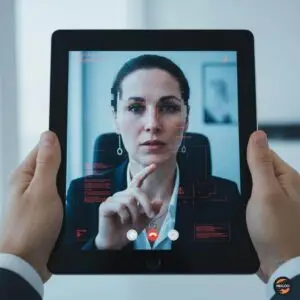
Blinking issues: AI struggles to simulate natural eye blinking, often producing inconsistent blinking patterns or eliminating eye blinking altogether.
Hands and jewelry: Deepfakes often have trouble with hands. Look for blurry fingers, extra fingers, or fingers in strange positions. Jewelry might look smudged or appear and disappear.
Facial features: Pay attention to the cheeks and forehead. Does the skin appear too smooth or too wrinkly? Is the agedness of the skin similar to the agedness of the hair and eyes?
Teeth and hair: You won’t see frizzy or flyaway hair because fake images won’t be able to generate these individual characteristics. Algorithms may not be able to generate individual teeth, so an absence of outlines of individual teeth could be a clue.
Lighting and shadows: Look closely at reflections and shadows on surrounding surfaces, in backgrounds and even within participants’ eyes to see if they appear natural. AI typically does not alter the diameter of subjects’ pupils.
Facial movement: If someone looks distorted or off when they turn to the side or move their head, or their movements are jerky and disjointed from one frame to the next, you should suspect the video is fake.
Audio Artifacts: Listening for Sound Problems
Robotic pauses: Because the fake voice is generated in real time, you might notice elongated silences, strange pacing, or sudden breaks in conversation.
Mismatched mouth movements: Lip movements that don’t match the corresponding voice might suggest deepfake activity, due to altered audio and synchronization issues.
Strange voice quality: Listen for an uneven way of speaking, odd tone, rhythm, or accent. If something sounds slightly “off,” trust your instincts.
Background noise issues: Listen for unnatural background noises or echoing. These subtle inconsistencies in pitch or phrasing are often the fingerprints of AI generation.
The “Safe Word” Technique: Your Family Security Code
This is your most powerful defense. A safe word is a pre-agreed code word or phrase only you and your trusted group know. If you ever receive an urgent call or message, asking for the safe word is a quick way to verify the person’s identity.
How to create one:
- Choose a unique word or phrase: Don’t use obvious things like street names, birthdays, or pet names that someone could find online. It needs to be unique and should be something that’s difficult to guess. It shouldn’t be something that can be researched online about you or your family.
- Share it in person only: Never text, email, or say it on a phone call where someone might record it.
- Make it memorable: Professor Hany Farid, who studies audio deepfakes at UC Berkeley, recommends: “Ask each other what the code is every once in a while because unlike a password, we don’t use the code word very often, so it is easy to forget”.
- Use it correctly: When receiving a suspicious call, require that the caller verify their identity. Always ask for the safe word before transferring any money. Don’t volunteer to make the other person say it first.
- Practice regularly: Like any security measure, a safe word only works if people remember to use it. Occasionally test your safe word system to make sure everyone involved recalls the procedure.
Who needs one: Families (especially with elderly members and children), coworkers handling money, and any group that shares sensitive information.
Reverse Image Search Tools: Finding Source Footage
When you see a suspicious video or image, you can check if it’s real by searching for the original.
Tools to use:
- Google Reverse Image Search (images.google.com)
- TinEye (tineye.com)
- Yandex Image Search
How to do it:
- Take a screenshot of the suspicious video or save the image
- Upload it to one of these search tools
- See if the same image appears elsewhere with different content
- If strikingly similar video exists elsewhere with different content, you’ve likely spotted a fake
Verification Protocols: How to Verify Caller ID
The problem: Phone numbers can be spoofed to mimic those of callers known to the target of voice cloning scams.
What to do:
- Hang up and call back: Hang up and call the person back using a known number stored in your contacts. Hackers can spoof phone numbers so you should call back from the phone number you have stored, even if the person on the other end begs you to stay on the line.
- Use a different communication method: If someone calls asking for money, send them a text message or email to their known address. If they call, you call back. If they email, you call them.
- Video verification: Ask to switch to a video call if possible. While video deepfakes can happen, it is less likely that a scammer has both a video deepfake and an audio clone created.
- Slow down: Scammers create fake emergencies to make you panic. Take a breath. Real emergencies can wait 5 minutes while you verify.
- Ask personal questions: Ask something only the real person would know a specific memory, a recent conversation, or family details not posted online.
Social Media Hygiene: Locking Down Your Voice Samples
The risk: As many as 53 percent of people share their voices online or via recorded notes at least once a week. YouTube, social media reels and podcasts are common sources of audio recordings.
How to protect yourself:
- Make profiles private: Change your social media accounts (Facebook, Instagram, TikTok, etc.) to private so only people you know can see your posts.
- Limit video and voice recordings: Think twice before posting videos where you’re talking. Every video you post gives scammers material to copy your voice.
- Review old posts: Go through your social media and delete or make private any videos where you’re speaking clearly.
- Be careful with voicemail: Keep voicemail greetings simple. Don’t record long messages that give scammers lots of your voice to work with.
- Teach children and elderly family members: In 2023, senior citizens were conned out of roughly $3.4 billion in a range of financial crimes, according to FBI data. Make sure vulnerable family members understand these risks.
Reporting Fakes: Where to Send Evidence of AI Fraud
If you encounter a deepfake scam, report it immediately:
In the United States:
- Federal Trade Commission (FTC):ftc.gov
- FBI Internet Crime Complaint Center (IC3):gov
- Local police department: File a report with your local law enforcement
Financial institutions:
- Call your bank immediately if money was transferred
- Banks and financial institutions must be contacted immediately if money is involved. Rapid reporting increases the chances of recovering losses
Online platforms:
- Report fake videos on YouTube, Facebook, TikTok, and other platforms
- Use the “Report” button and select options for impersonation or fraud
Why reporting matters:
- Helps authorities track scam patterns
- May help recover stolen money
- Protects others from the same scammers
- Improves detection systems
Bank Verification: Setting Up Non-Biometric Security Layers
Banks are adding better protection, but you can too:
Set up extra verification:
- Use multi-factor authentication: Require a code from your phone plus your password to access accounts.
- Create a verbal password with your bank: Some banks allow you to set up a secret word that must be used for phone transactions.
- Set up transaction alerts: Get text messages or emails for any transaction over a certain amount (like $500).
- Require multiple approvals: For business accounts, require two people to approve large transfers.
- Set daily transfer limits: With Deloitte projecting $40 billion in AI-enabled fraud by 2027, organizations must implement robust verification protocols and transform their security culture from “trust but verify” to “never trust, always verify”.
Red flags to watch for:
- Urgent requests to transfer large amounts
- Requests to keep transactions secret
- Instructions to wire money to unfamiliar accounts
- Pressure to bypass normal approval processes
Teaching Kids and Seniors: A Script for Explaining This to Vulnerable Relatives
For children (ages 6-12):
“You know how in movies, computers can make people look different or put them in places they’ve never been? Well, bad people are using computers to pretend to be people we know. They can make videos and phone calls that look and sound real, but they’re fake.
If anyone ever calls you saying they’re me or Mom/Dad and asking for help, here’s what to do:
- Ask them our secret family word
- If they don’t know it, hang up
- Tell a trusted adult right away
Remember: Real family emergencies don’t need to be kept secret, and we would never ask you to do something that makes you uncomfortable.”
For elderly family members:
“I want to talk to you about a new kind of scam. Criminals are now using computers to copy people’s voices and faces. They might call you sounding exactly like me, [grandchild’s name], or [other family member], saying there’s an emergency and they need money.
Here’s what’s important to know:
- Humans cannot consistently identify AI-generated voices, often perceiving them as identical to real people
- Even if someone sounds exactly like me, they might not be me
- We’ve created a family password: [insert your safe word]
- If anyone calls asking for money, even if they sound like me, ask for the password first
- If they don’t know it, hang up and call me back at the number you always use
- Real emergencies can wait 5 minutes while you check
Most importantly: You’re not being paranoid. In 2023, senior citizens were conned out of roughly $3.4 billion through various financial crimes. Being careful is being smart.
I’d rather you call me 100 times to double-check than lose money to a scammer. Never feel embarrassed to verify something that seems urgent.”
Key teaching points for both groups:
- Real loved ones will understand if you need to verify their identity
- Scammers create fake urgency to stop you from thinking clearly
- It’s always okay to hang up and call back
- Never keep “emergencies” secret from other trusted adults
Final Thoughts: Staying Safe in the Deepfake Era
The technology creating these fakes is getting better every day. 68% of deepfakes are now “nearly indistinguishable from genuine media,” and 70% of people doubt their ability to distinguish real from fake voices. A deepfake attempt occurred every five minutes in 2024.
But you’re not powerless. By following these steps, you can protect yourself and your family:
The Three-Second Rule: When you receive any urgent request by phone, video, or message take three seconds to think:
- Is this normal?
- Can I verify this another way?
- What’s my safe word?
Remember:
- Real emergencies can wait a few minutes for verification
- Technology can be fooled, but safe words cannot
- When in doubt, hang up and call back
- Trust your instincts if something feels wrong, it probably is
According to UNESCO research, families are establishing code words to verify identity during calls, and asking people to “prove you’re alive” by performing specific physical actions in video calls that often cause real-time deepfakes to glitch.
The fight against deepfakes requires us to be both trusting and careful trusting of our loved ones, but careful with how we verify their identity when something unusual happens. By setting up these protections now, before you need them, you’re building a safety net that could save thousands of dollars and prevent heartbreak.
Take action today: Sit down with your family this week and choose your safe word. Practice using it. Make sure everyone, especially elderly parents and young children understands what to do if they get a suspicious call.
In a world where technology can imitate anyone, your safe word is the one thing a computer can’t fake.
Quick Reference Checklist
Print this out and keep it somewhere visible:
If you receive a suspicious call: ☐ Stay calm don’t let urgency cloud your judgment
☐ Ask for the family safe word
☐ Hang up and call back at a number you know
☐ Verify through a different method (text, email, video)
☐ Ask personal questions only the real person would know
☐ Never wire money or share financial information under pressure
☐ Report the incident to authorities and your bank
Visual red flags in videos: ☐ Unnatural blinking or no blinking
☐ Blurry or strange-looking hands
☐ Too-smooth or oddly textured skin
☐ Lighting that doesn’t match the scene
☐ Lips not matching the words being said
☐ Stiff or robotic movements
Audio red flags: ☐ Strange pauses or rhythm
☐ Robotic-sounding voice
☐ Background noise that sounds fake
☐ Voice doesn’t quite match the person
Remember: Being cautious doesn’t mean you don’t trust your loved ones. It means you’re smart enough to protect them and yourself from criminals using powerful technology to deceive.
Sources: This guide is based on research from McAfee (2024), Keepnet Labs (2025), Eftsure, Signicat (2025), Deloitte, FBI data, Scientific American, National Cybersecurity Alliance, TechTarget, MIT Media Lab, UNESCO (2025), World Economic Forum (2025), and multiple cybersecurity experts including Professor Hany Farid (UC Berkeley).
Watch the video: How to Spot a Deepfake


